Operations · Workflows & Approvals
Approvals off paper — with a trail that stays on record.
Attach the request to a flow; whose desk it waits on is visible step by step, and the outcome is logged. No folder tours.
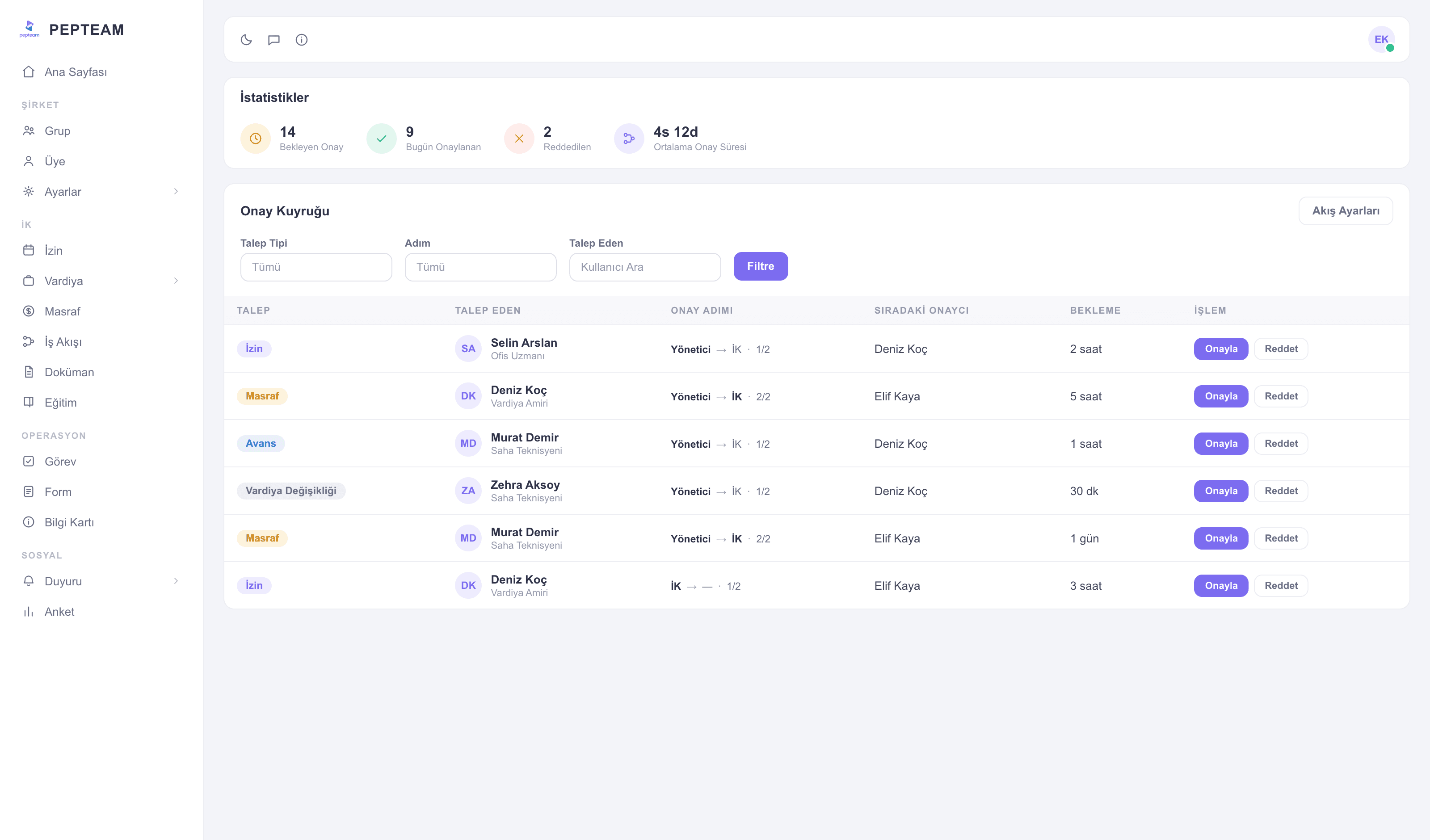
The process is transparent
Which step, whose queue — you look it up, you don't ask around.
Approvals from the pocket
A manager in the field approves from the phone; the process isn't chained to a desk.
Decisions leave a trail
Who decided what, when — all on record; nothing is reconstructed later.
Define the flow once
Set the steps and approvers; the same type of request always travels the same road.
Requests start from the pocket
The employee starts the request in the app, adds what's needed; the flow moves to the first approver by itself.
Pending doesn't linger
Waiting requests line up for the approver; approve or reject with a reason, and the next step fires automatically.
The outcome in one record
A finished flow keeps all its steps; when audit asks "who approved this?", the answer is ready.
How it's used in the field
A line-change request travels from shift supervisor to plant manager on a flow; verbal approvals retire.
Material requests reach head office from the site on a flow; nobody phones to ask where it stands.
Extra-duty approval descends from the physician in charge on a logged flow; the decision leaves a trace.
Frequently asked questions
You define the steps to match your process; requests move in the defined order.
No; pending requests reach their phone and they approve from the app.
It closes with its reason, visible to the requester instantly; a new request can follow.
Yes; completed flows sit on record with all their steps.