Time & Attendance · Shift Planning
Build the weekly rota from a template, assign in one go.
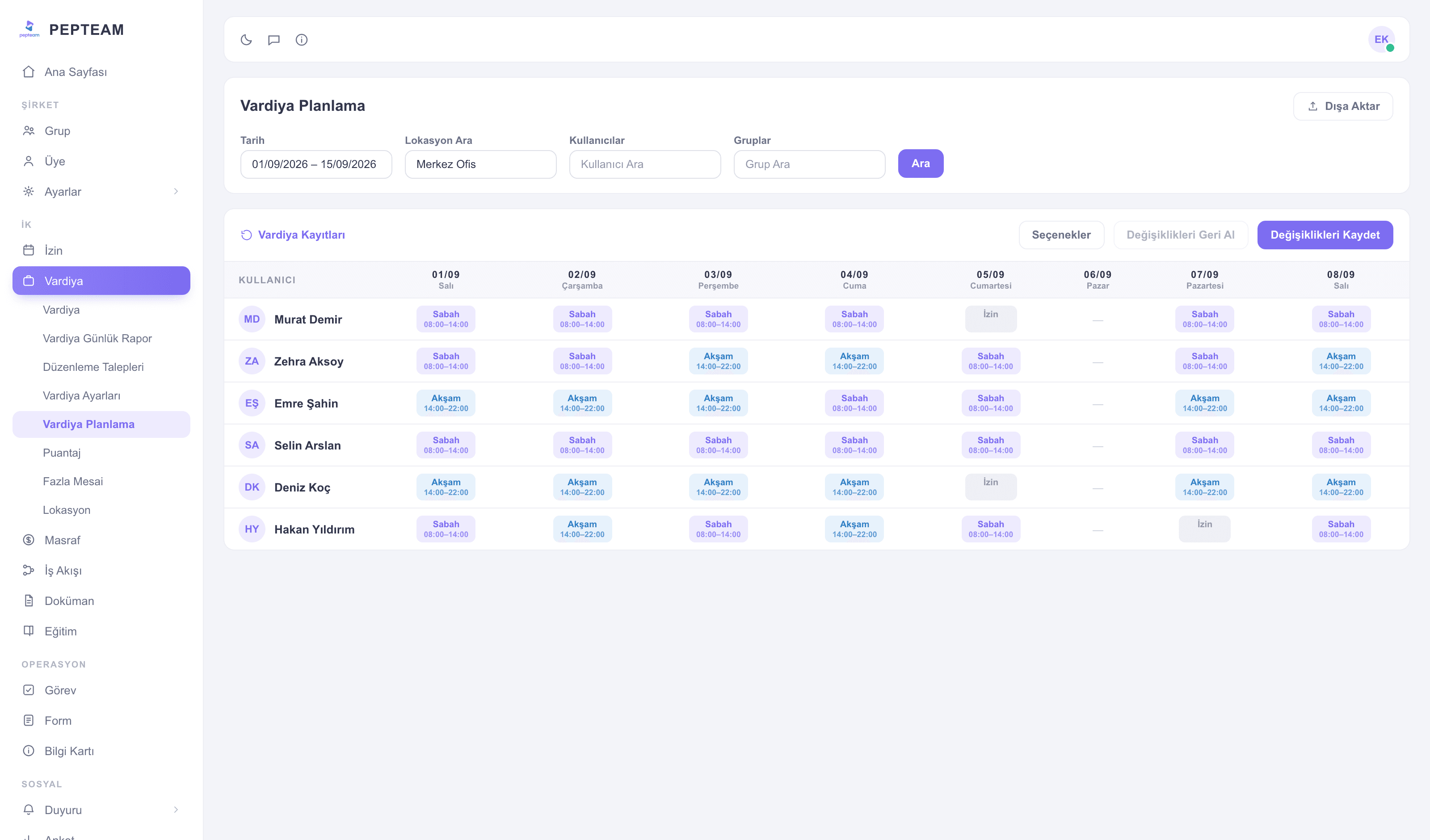
Define a template once; every week, filter by date, location, user and group and assign in bulk. Undoing a bad assignment is one click.
The template is built once
Morning-evening windows, the weekly pattern — defined once, never redrawn.
Bulk assignment, not one by one
Filter, select, assign: a whole location's team enters the plan in one operation.
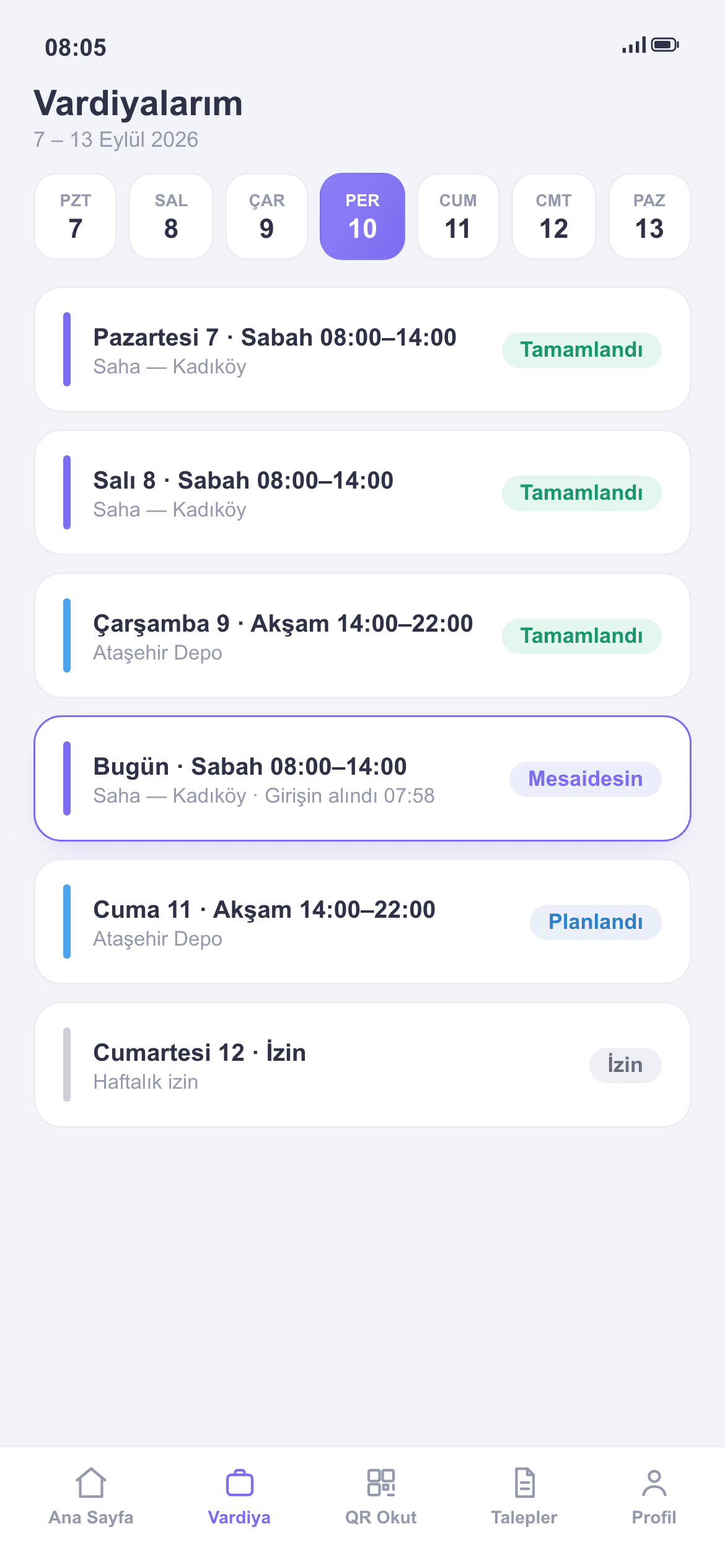
The plan reaches the field instantly
Assigned shifts appear on employees' phones; the "what's my shift this week?" messages stop.
Templates: the plan's skeleton
Recurring patterns live as shift planning templates; open the new week from a template and edit only the exceptions.
Filter and save in bulk
Select the audience with date, location, user and group filters, then save the assignment in bulk. Minutes, even for large teams.
Undo what went wrong
If a bulk operation goes sideways, undo restores the previous plan; nobody shows up to a wrong rota.
The plan talks to the report
Your plan is the baseline of the Shift Daily Report: late and missing are computed against it. Exports let you share the plan.
How it's used in the field
When occupancy shifts, housekeeping opens a new week from the template and edits only the changed floors.
The 24/7 duty wheel turns on a template; who covers which night is known months ahead.
Duty rosters are assigned by group; staff on leave never collide with the plan.
Frequently asked questions
No. The template is defined once; open the new week from it and edit only the exceptions.
Undo restores the previous state of the plan; no row-by-row fixing.
In the app on their phone. Assigned shifts appear instantly and update on changes.
The Shift Daily Report runs against the assigned plan: late and missing are computed relative to it.