Time & Attendance · Mobile Time & Attendance
Clock-in on the phone; who's where, on screen instantly.
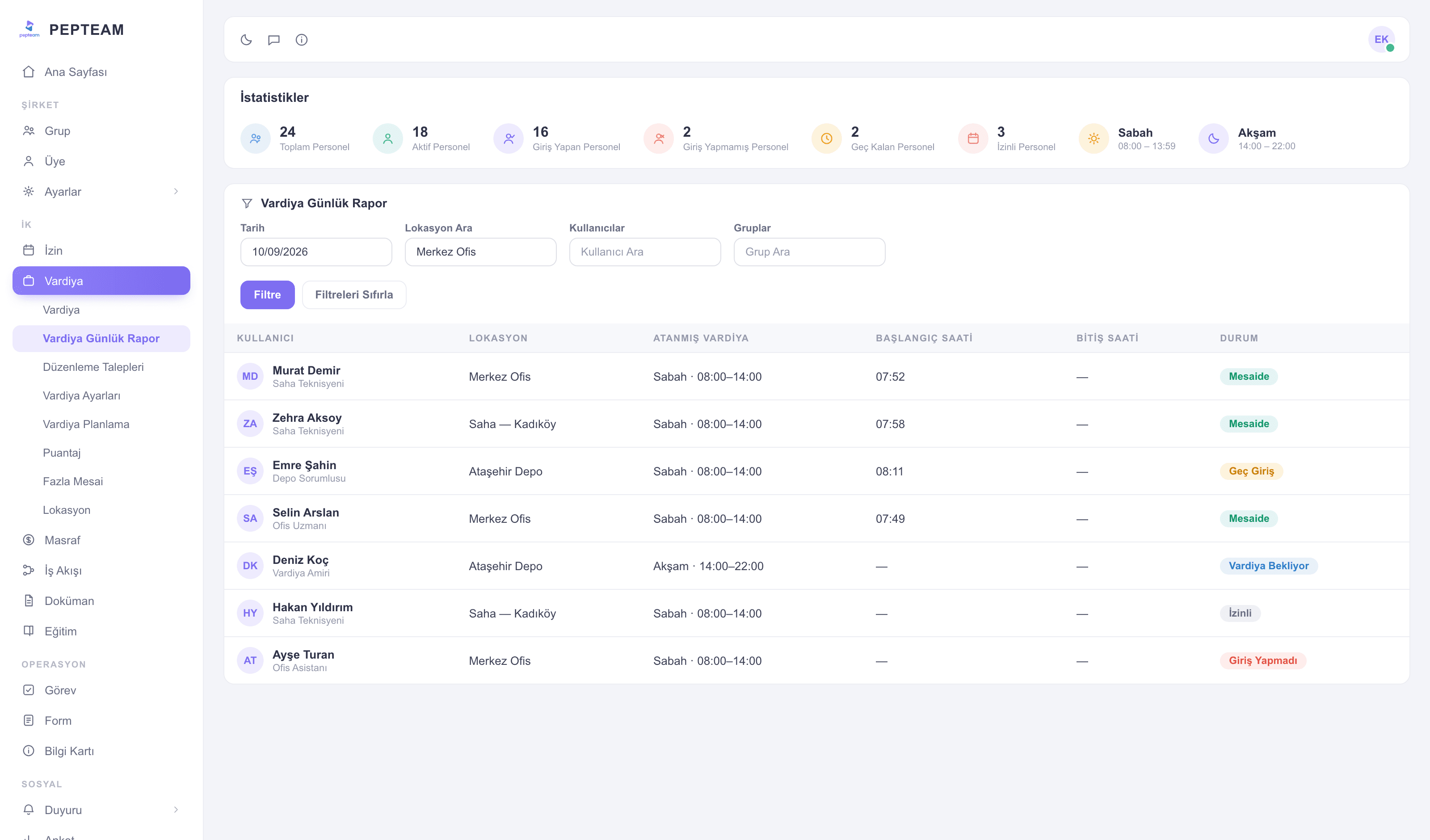
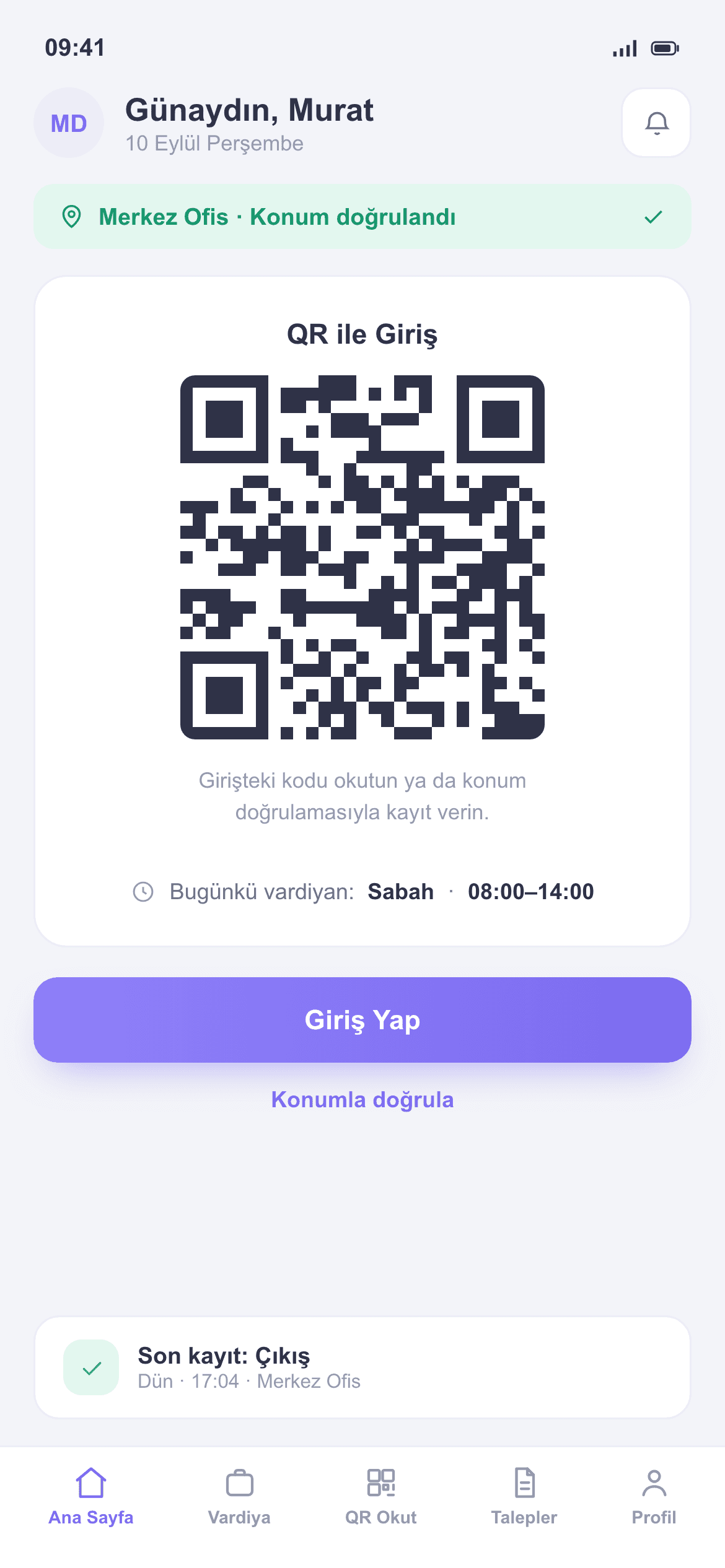
Staff scan a QR or verify their location; you see total, clocked-in, late and on-leave staff in one strip on the Shift Daily Report.
No turnstiles, no cards
Nothing to install. An employee's phone is enough — a shared kiosk covers the rest.
Proof, not say-so
QR and location are verified together at clock-in; the "but I was here" argument ends.
No biometrics, no KVKK worry
No fingerprints, no face recognition — you stay outside KVKK's restrictions on biometric data.
The day, summarized in one strip
The Shift Daily Report header: total staff, active, clocked in, not clocked in, late, on leave. Below it, a table filtered by date, location, user and group.
Scan the QR, verify the location
The employee scans the code at the site; the phone's location is checked against the defined site at that moment. No all-day tracking.
Every location keeps its own record
Site, warehouse, store — you define locations; clock-ins are reported per location. In a multi-site setup, who's where is one screen away.
A dispute? File an edit request
If an employee disputes a record, they open an edit request from the app; a manager approves or rejects. Data heads to payroll settled, not argued.
Where to find it in the panel
The market's vocabulary mapped to the panel's menu — which screen each term leads to:
- Time & attendance tracking
- → Shift Daily Report + Locations
- Timesheets
- → Timesheets + Overtime
- Shift planning
- → Shift Planning + templates
- Disputes / corrections
- → Edit Requests
How it's used in the field
Subcontractor crews clock in per site; how many people are on which site is known during the day.
Cleaning teams scan a QR at every address; month-end timesheets are ready address by address.
On 24/7 duty, handover times go on record; no morning arguments about the night shift.
Frequently asked questions
There is no separate "PDKS" menu; the work lives under Shifts. Clock-in tracking is Shift Daily Report + Locations, timesheets are Timesheets + Overtime, planning is Shift Planning.
No. Clock-in runs on QR codes and location checks; fingerprints and face recognition are never used, so KVKK's special-category obligations never arise.
No. Location is checked only at clock-in and clock-out, against the defined site.
The Kiosk module covers them: they clock in on a shared tablet at the location, into the same report.
The employee opens an edit request from the app; once approved, the record updates. Every step is logged.